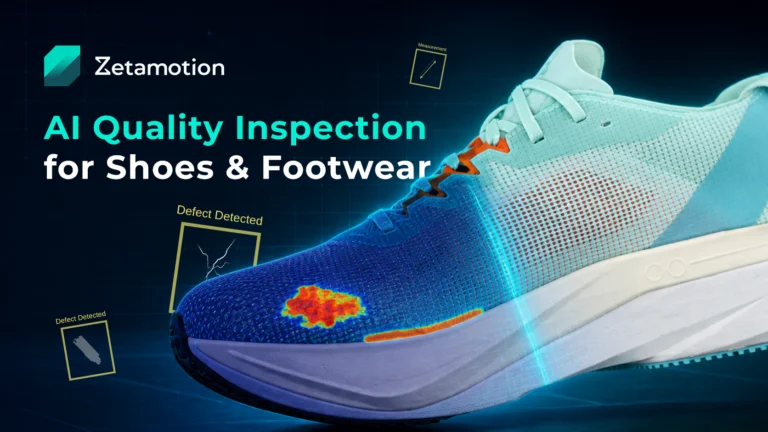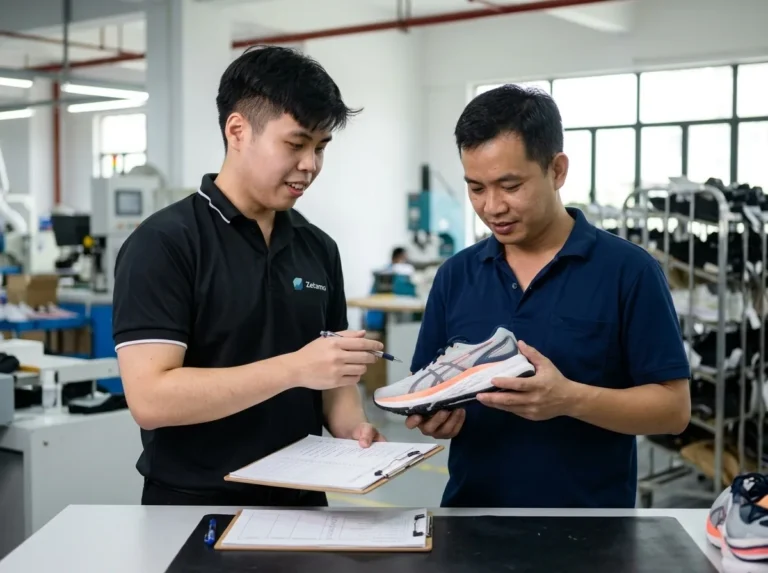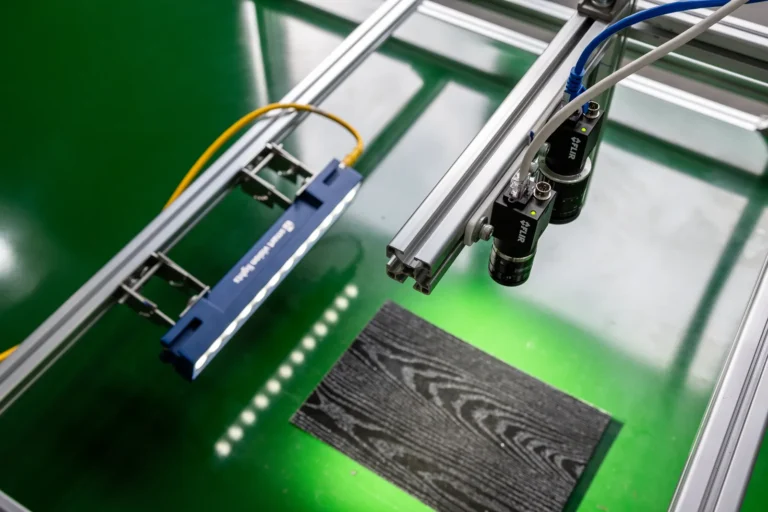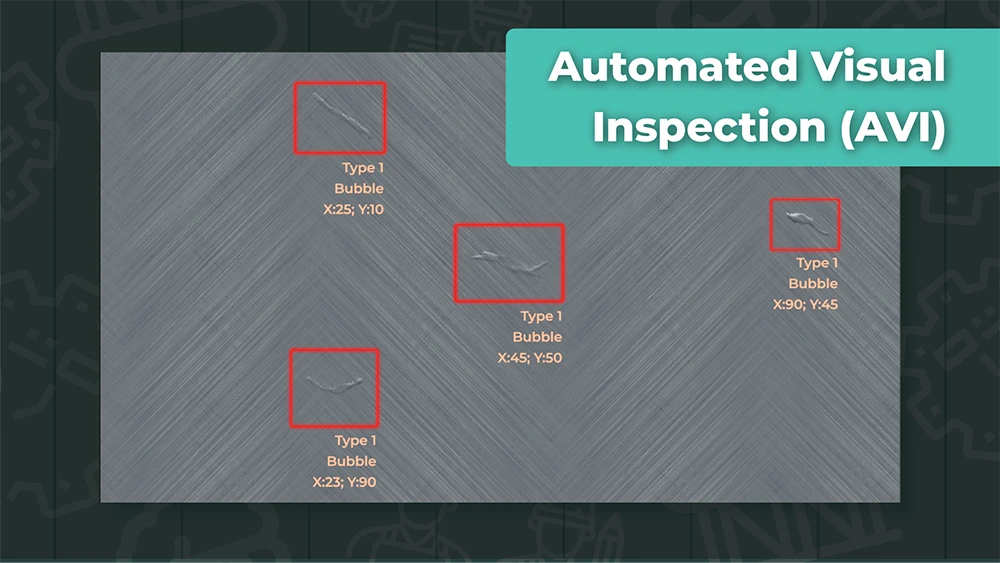
Manual inspection often works better than people give it credit for.
An experienced inspector can notice tiny changes in texture, understand what borderline means for a specific customer, and apply judgement when a product does not look quite right. That expertise matters. The problem is that manual inspection is difficult to scale.
People get tired. Standards drift between shifts. Production speeds up. Product variants multiply. The defects that matter most may only appear once in a while, which means even skilled teams can miss them when the line is moving and pressure is high.
That is where automated visual inspection becomes interesting. Not as a magic replacement for quality teams, but as a practical way to make visual quality control faster, more consistent, and easier to measure.
This guide explains how automated visual inspection works, what it can and cannot check, what equipment and data are involved, what to look out for when comparing platforms, and how to decide whether your inspection process is ready for automation.
What is automated visual inspection?
Automated visual inspection is the use of cameras, lighting, software, and decision logic to inspect products, parts, or surfaces automatically. In manufacturing, it is used to detect defects, verify components, measure visual features, apply pass/fail rules, and create inspection records.
At a basic level, the system captures an image of the product, analyzes what it sees, compares the result against an acceptable standard, and records the outcome. Depending on the use case, the decision may be made by rule-based machine vision, AI defect detection, human review, or a combination of all three.
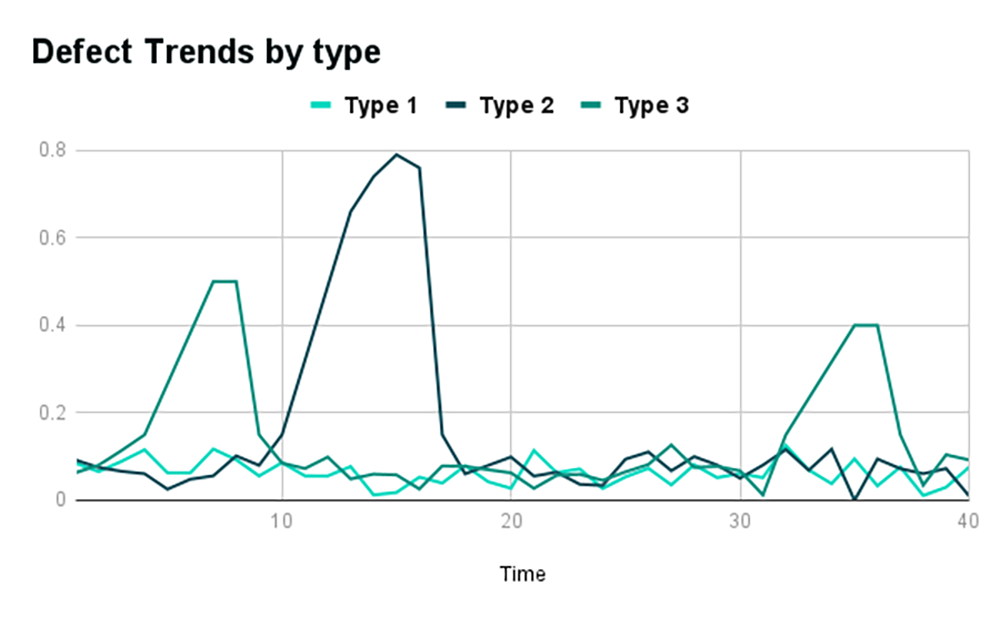
The best automated inspection systems do more than spot defects. They help teams understand what is happening on the line: which defect types are increasing, which product variants are causing trouble, where false rejects are coming from, and whether quality is improving over time.
For a quality team still relying on manual inspection, that shift is important. You are not only automating a visual check. You are turning inspection into a repeatable, measurable quality process.
What this guide will help you understand
If you are exploring automated visual inspection for the first time, the category can feel crowded and a little slippery. Some vendors talk about machine vision. Some talk about AI inspection. Some sell cameras. Some sell software. Some provide a full deployment service. Some give you a kit and leave the hardest data work to your team.
- How automated visual inspection works on a production line.
- The difference between manual inspection, machine vision, and AI inspection.
- What an inspection system actually includes.
- The difference between defect detection, component verification, measurement, and classification.
- Why many inspection projects get stuck around data, labeling, and model training.
- What to ask when comparing automated inspection solutions.
- How synthetic data can help when real defect examples are scarce.
- What a practical implementation roadmap looks like.
By the end, you should be able to describe your inspection problem more clearly and ask better questions before choosing a platform, provider, or pilot project.
Why manufacturers move from manual inspection
Most manufacturers do not automate visual inspection because manual inspectors are bad at their jobs. They automate because the inspection task has become too demanding for a purely manual process.
- Inspection is slowing down production.
- Defects are escaping to customers.
- Different inspectors are making different pass/fail decisions.
- The company needs better audit records.
- Product variants are increasing.
- Defect criteria are becoming more specific.
- Skilled inspectors are spending too much time on repetitive checks.
- Quality leaders need data, not just pass/fail notes.
Manual inspection also tends to hide patterns. If a defect appears more often on one shift, one machine, one raw material batch, or one product variant, the team may not see the trend until scrap, rework, or customer complaints start rising.
Automated visual inspection makes the process more consistent and more visible. It can inspect every part or surface in the same way, record the result, and give the quality team a clearer view of what is happening over time.
That does not mean every line should jump straight to full automation. For many manufacturers, the right first step is a hybrid workflow: cameras and AI handle the repetitive detection work, while human inspectors review exceptions, confirm borderline cases, and provide feedback that improves the system.
For a deeper transition plan, read our guide to moving from manual to automated visual inspection systems.
How automated visual inspection works on a production line
Automated visual inspection is easier to understand when you think of it as a workflow, not a single piece of software.
First, the system needs to see the product clearly. That means the part must be presented in a stable way, with suitable cameras, lighting, lensing, triggers, and positioning. If the image is poor, the model or rules will struggle no matter how advanced the software is.
Next, the system analyzes the image. It may look for a known defect, compare the product against a clean reference, measure the size of a feature, verify that a component is present, or classify a surface condition by severity.
Then the system applies the inspection logic. Is the mark large enough to fail? Is the scratch inside a critical zone? Is the missing feature acceptable for this product variant? Should the result be accepted, rejected, flagged for review, or routed into a separate process?
Finally, the system records the result. A strong inspection platform should help operators and quality leaders review detections, trace decisions, export reports, and monitor defect trends.
1. Capture
The product arrives at the inspection point and the camera captures the required view under controlled lighting.
2. Analyze
AI models or vision logic detect, classify, verify, or measure the target feature.
3. Decide
Pass/fail rules, thresholds, review queues, and reports turn the result into an operational decision.
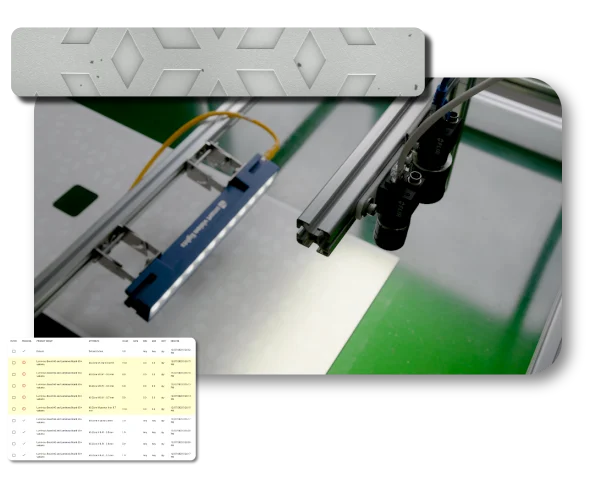
If your team is comparing industrial cameras, the EMVA 1288 machine vision camera standard is a useful external reference because it defines a standardized way to measure and present specifications for machine vision sensors and cameras. It will not tell you whether a full inspection system will work on your line, but it can help technical teams compare imaging components more objectively.
Manual inspection vs machine vision vs AI inspection
| Approach | How it works | Best fit | Common limitation |
|---|---|---|---|
| Manual inspection | Human inspectors visually check products and make decisions. | Flexible judgement, low-volume checks, unusual products. | Fatigue, inconsistency, limited traceability. |
| Rule-based machine vision | Cameras and programmed rules check known features or measurements. | Stable products, predictable defects, controlled lighting. | Struggles with variation, texture, glare, and changing defect types. |
| AI visual inspection | AI models learn visual patterns from images and detect defects or anomalies. | Variable products, subtle defects, complex surfaces. | Needs good data, validation, and ongoing improvement. |
| Human-in-the-loop AI inspection | AI handles routine detection while humans review exceptions and give feedback. | Practical production rollout where trust and judgement matter. | Requires a clear review workflow and ownership model. |
For many manufacturers, the most realistic destination is not a fully autonomous system on day one. It is a reliable inspection workflow that reduces the manual burden while keeping human expertise available where it matters most.
If your team is deciding whether a traditional rules-based setup is enough, read our deeper guide to rule-based machine vision vs AI inspection for the practical tradeoffs.
What an these systems include
An automated visual inspection system is not just a camera and a model. The full system usually includes cameras, lenses, lighting, fixtures, triggers, sensors, edge compute, AI models, defect taxonomies, pass/fail rules, dashboards, reporting, and human review tools.
This is why buying an inspection system only by looking at camera specifications or software screenshots can be risky. The success of the project depends on how well the full workflow is designed.
- Imaging: cameras, lenses, lighting, field of view, resolution, and triggers.
- Production integration: product handling, fixtures, sensors, timing, and edge compute.
- Inspection intelligence: AI models, rule-based logic, defect taxonomy, thresholds, and pass/fail criteria.
- Quality workflow: operator review, comments, overrides, audit records, dashboards, and trend reports.
- Improvement loop: feedback, model updates, validation, and support for new variants.
What automated visual inspection can actually check
Defect detection is the phrase most people know, but automated visual inspection can do several related jobs. Understanding these terms helps you describe your inspection problem more clearly when speaking with vendors or internal stakeholders.
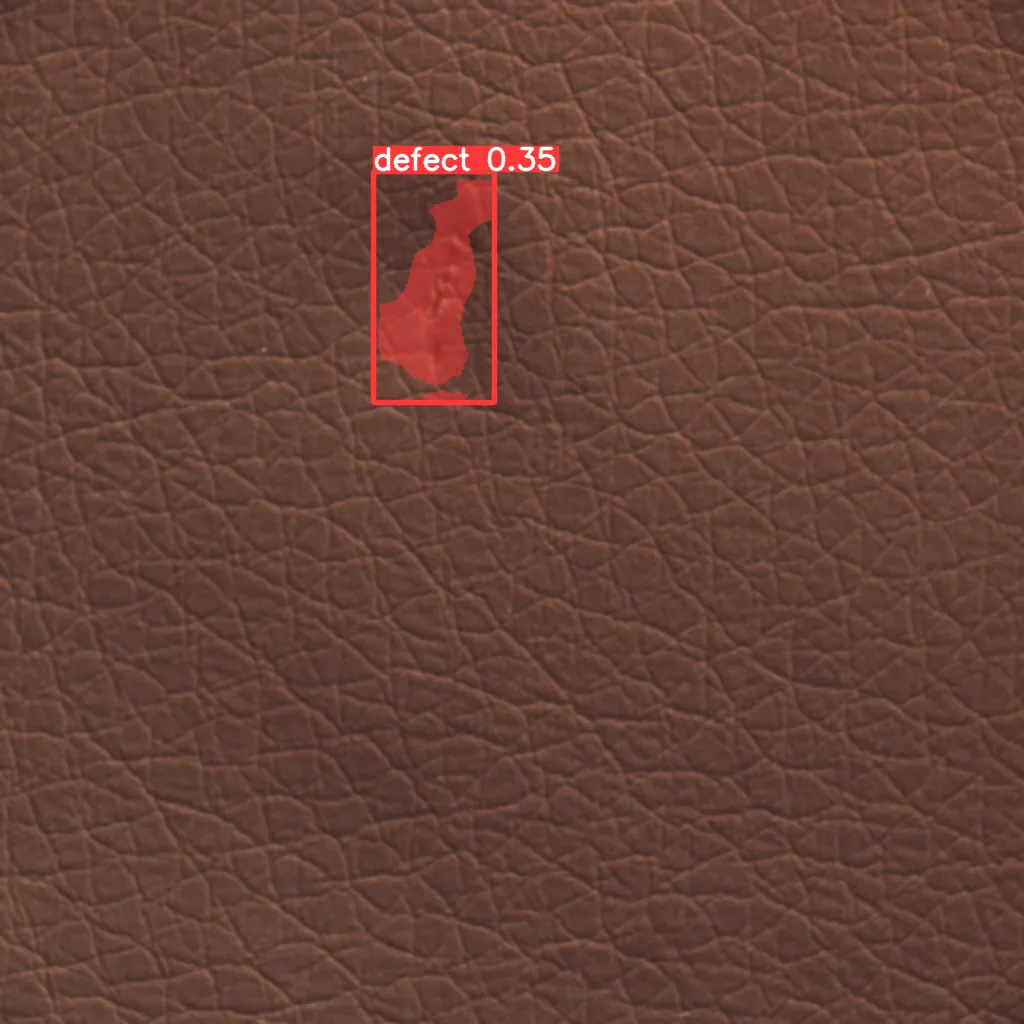
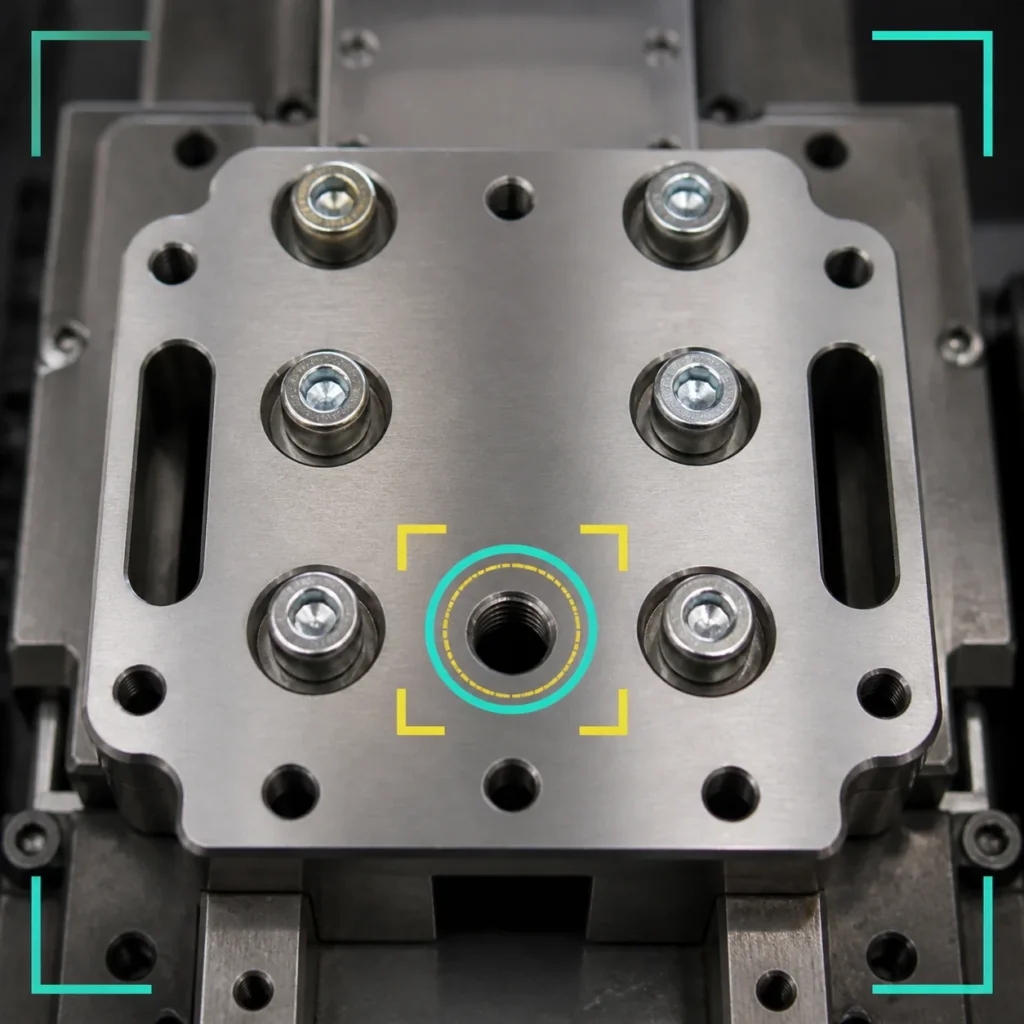
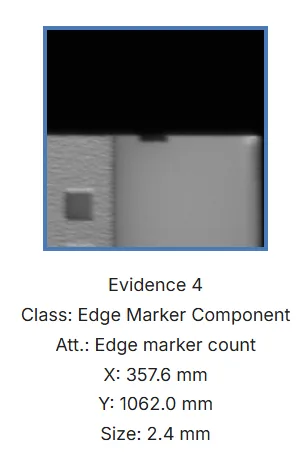
Defect detection
Defect detection means finding something that should not be there. Examples include scratches, cracks, dents, bubbles, inclusions, discoloration, contamination, chips, stains, pits, coating issues, or foreign particles. The system is asking: is there a visible problem?
Defect classification
Defect classification means identifying what type of defect has been found. Instead of only saying fail, the system can label the issue as a scratch, crack, coating defect, inclusion, bubble, contamination, or another category. This matters because different defect types often point to different root causes.
Defect measurement
Defect measurement means calculating size, length, width, area, position, count, or severity. This is important when not every defect is an automatic failure. A tiny mark in a non-critical area may be acceptable, while the same mark in a visible or functional zone may fail.
Component and assembly verification
Component verification checks whether the right thing is present, missing, aligned, or correctly placed. Assembly verification confirms that multiple parts are correctly oriented, seated, aligned, or complete. The system is not only looking for damage. It is checking whether the product has been made correctly.
Surface and texture inspection
Surface and texture inspection looks for abnormal changes across materials that may naturally vary. Glass reflects light. Leather has grain. Textiles have patterns. Composites can show noisy surfaces. Asphalt shingles, paper, metals, and coatings may all have acceptable variation that should not trigger false rejects.
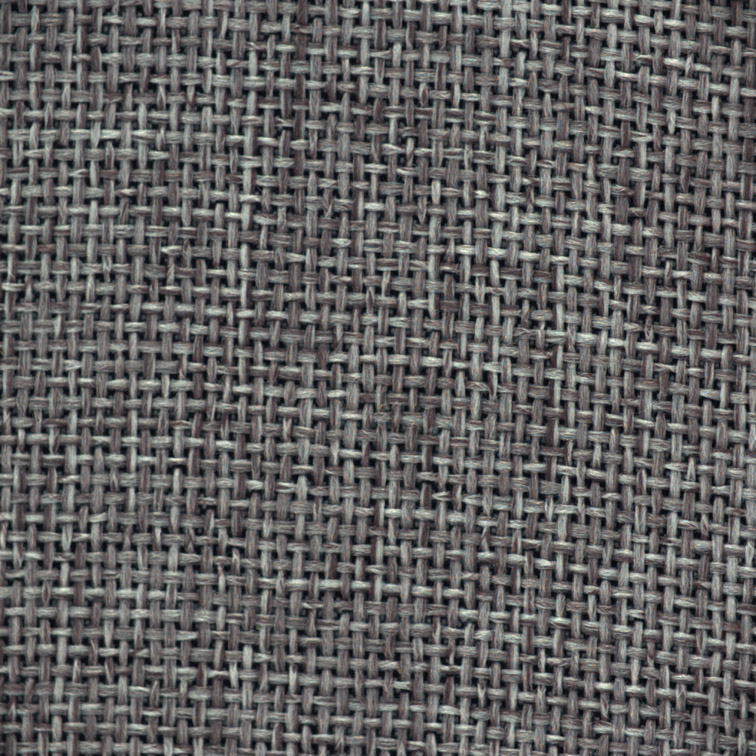
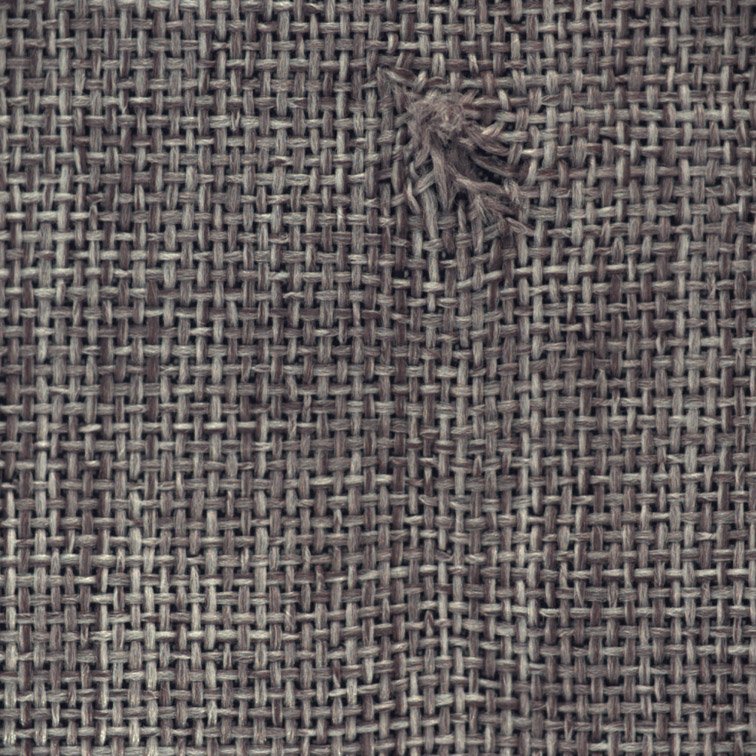
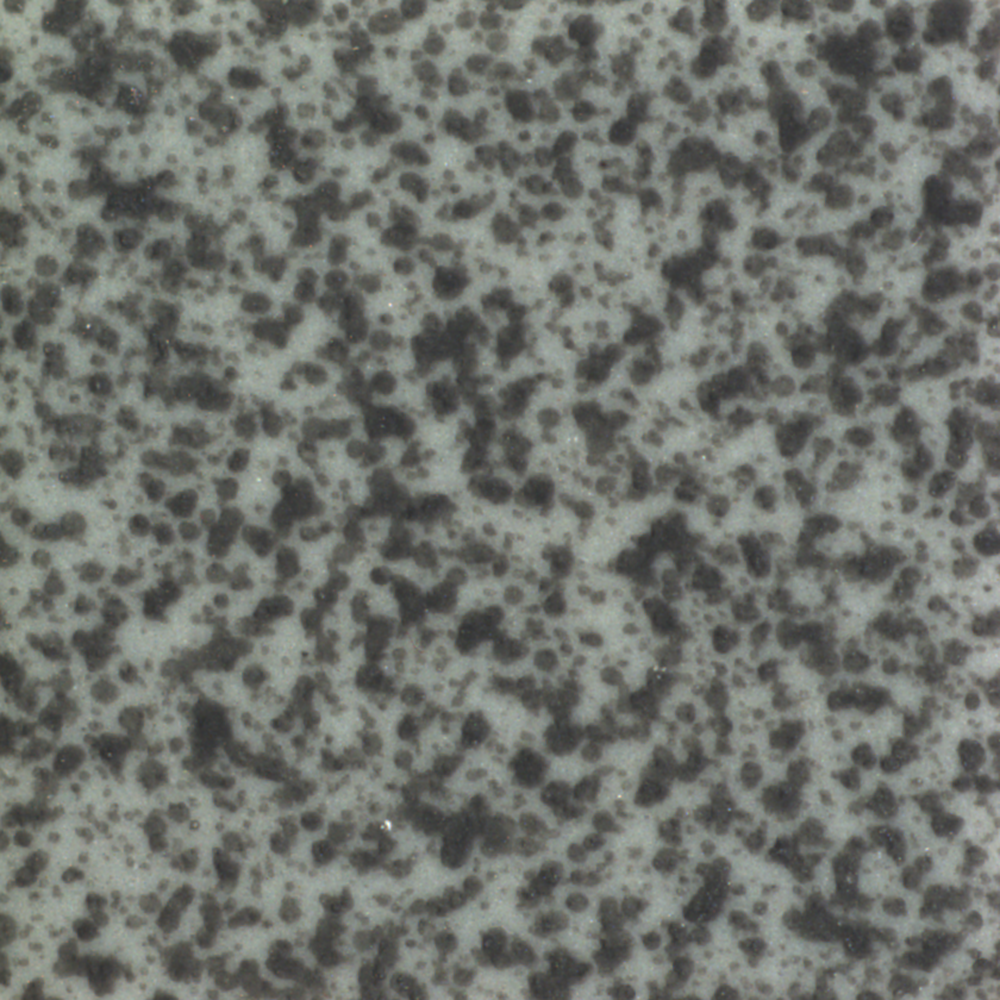
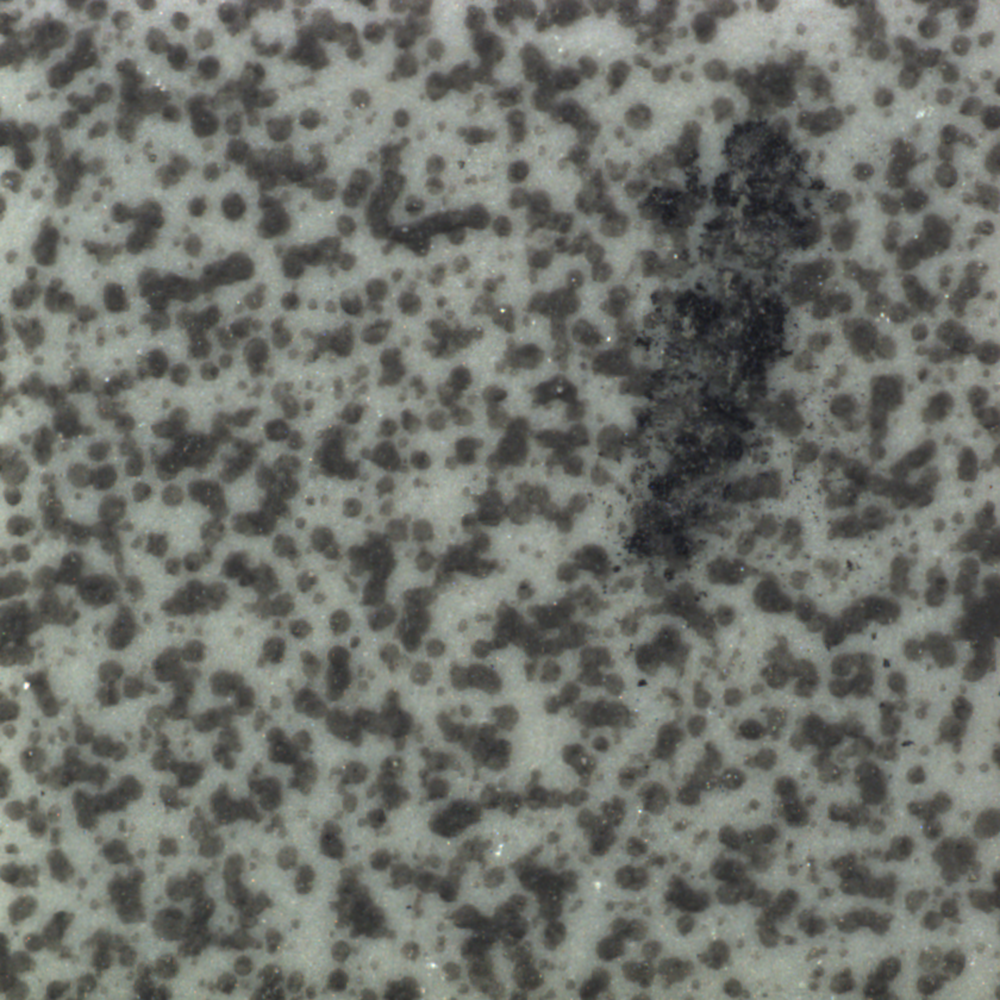
Clean and defect examples help teams define what normal variation looks like before training or validating an inspection model. Refer to our full guide on anomaly and defect detection in manufacturing.
Where automated visual inspection gets difficult
Automated visual inspection becomes harder when the product does not behave like a neat textbook example.
- Rare defects that do not appear often enough to build a strong dataset.
- Many product variants with different shapes, finishes, colors, or sizes.
- Non-uniform surfaces where normal variation can look like defects.
- Glossy, reflective, or transparent materials that change with lighting.
- Moving products that are hard to position consistently.
- Very small defects that require high resolution and stable imaging.
- Unclear pass/fail criteria between quality, production, and customer teams.
- High line speeds where decisions must happen in real time.
These challenges do not mean automation is impossible. They mean the project needs more than an off-the-shelf promise. It needs a clear defect catalogue, good imaging, realistic data, model validation, and a practical plan for what happens when the system is uncertain.
The first question should not be “Can AI detect this?” A better first question is: “Can we create a repeatable inspection workflow around this product, defect, tolerance, line speed, and decision process?”
The data problem many buyers discover too late
Here is the part that many automated visual inspection buyers only discover after the purchase order is signed: the camera kit may arrive before the inspection problem is actually solved.
Some solutions provide hardware, software, and a user interface, but leave the customer responsible for the hardest AI work. Your team may be expected to capture the images, label the defects, draw masks, organize the dataset, train the model, tune the thresholds, test the results, and troubleshoot performance.
If the model performs poorly, the answer may be: collect more data, label more examples, improve your annotations, retrain the model, change your lighting, or adjust your setup.
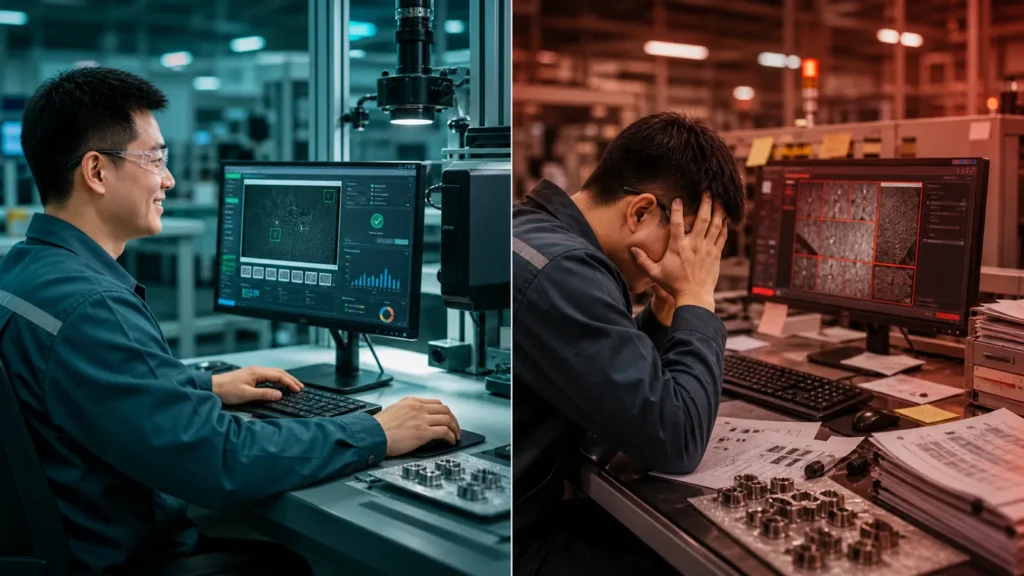
That may be acceptable for a mature automation team with computer vision experience. But it can be a major problem for quality teams that are trying to modernize manual inspection without hiring a data science department.
The risk is not that the platform is useless. The risk is that responsibility is quietly shifted to the manufacturer. The vendor has provided the kit, but the customer still owns the data bottleneck, the model-training burden, and the production-readiness gap.
For a QC modernizer, this is one of the most important buying questions: are we buying an inspection outcome, or are we buying tools that our team must turn into an inspection outcome?
What to look out for when comparing automated visual inspection solutions
When you compare automated visual inspection platforms, do not only ask what the system can detect in a demo. Ask who owns each part of the real deployment.
- Who collects the inspection data? Data collection is not just pointing a camera at a product. The images need to represent clean samples, defect examples, acceptable variation, lighting conditions, product variants, and edge cases.
- Who labels and annotates the data? If your team has to label everything manually, the project can become slow and frustrating. If labeling quality is inconsistent, model performance will suffer.
- Who defines the defect taxonomy? A defect taxonomy is the shared language of the inspection system. It defines what counts as a scratch, chip, inclusion, bubble, stain, misalignment, missing feature, or acceptable variation.
- Who trains and validates the model? Training a model is not the same as proving it is ready for production. You need to know how the model will be tested and what performance metrics matter.
- What happens if performance is poor? Does the provider help improve lighting, refine the data, tune thresholds, generate more examples, retrain the model, and validate the result?
- Can the system adapt to new variants? If your product range changes often, ask how new variants are onboarded and how fast they can be validated.
- Does the system support human review? A practical system should let operators accept, reject, comment, override, and feed corrections back into the workflow.
- Can it produce useful reports? Inspection should not end at pass or fail. Quality leaders need defect trends, product-level records, audit exports, and data for root-cause analysis.
- Can it run where your factory needs it to run? For some manufacturers, on-premise or edge deployment is important because production data is sensitive, latency matters, or cloud dependence is not acceptable.
This is one of the biggest differences between off-the-shelf inspection kits and a managed AI inspection deployment. The important question is not whether a demo looks impressive. It is whether the provider is responsible for getting the inspection process working in production.
How synthetic data helps when real defects are rare
One reason automated visual inspection projects stall is simple: real defects are often too rare to train a reliable AI model.
That sounds like a good problem. Fewer defects should mean better production. But for AI inspection, rare defects create a data bottleneck. The system needs to learn what defects look like, including variations in size, shape, severity, location, lighting, and product type.
Synthetic data helps by creating realistic defect examples that expand the training set. In a strong workflow, synthetic data is not random image generation. It is grounded in the actual product, defect type, material appearance, and inspection conditions. It can include masks and metadata that help the model learn where the defect is and what kind of defect it represents.
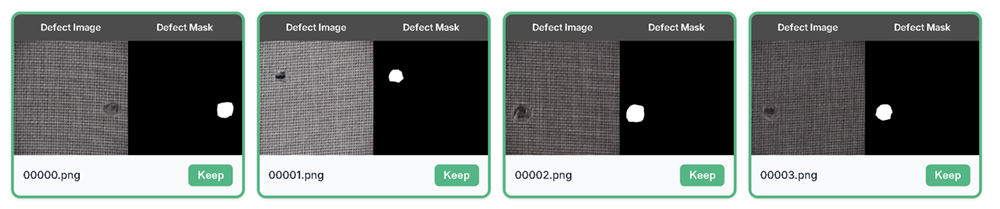
- Rare defects.
- New product launches.
- High-mix production.
- Expensive or destructive defect collection.
- Subtle defects on noisy surfaces.
- New variants where historical data does not exist yet.
Synthetic data does not remove the need for real-world validation. The system still needs to be tested against production-like images. But it can reduce the cold-start problem that prevents many AI inspection projects from moving beyond a pilot.
For more detail, explore our guides to synthetic data for quality inspection and the ZELIA AI inspection assistant.
Accuracy, false rejects, and human trust
When teams compare inspection solutions, they often ask one big question: how accurate is it?
Accuracy matters, but it is not enough by itself. In manufacturing, the more useful questions are: what kinds of defects does the system detect well, what does it miss, what does it falsely reject, how does performance change across product variants, and can feedback improve the system over time?
A false accept means a bad product passes inspection. That can lead to customer complaints, rework, recalls, warranty claims, or safety concerns. A false reject means a good product is rejected. That can create scrap, rework, slower throughput, and loss of trust in the inspection system.
The goal is not only to maximize a headline accuracy number. The goal is to create an inspection workflow that matches the manufacturer’s risk tolerance, quality standards, and production reality.
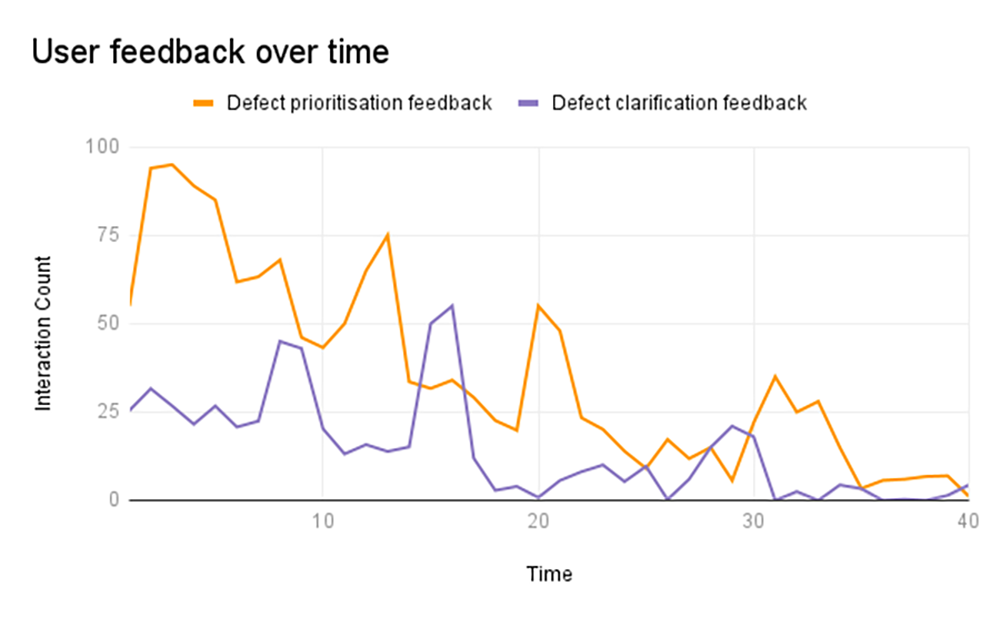
Human-in-the-loop review lets the AI handle routine detection while operators review edge cases, correct mistakes, and feed knowledge back into the system. Over time, this can reduce uncertainty and make the system more trusted by the people who actually use it.
Implementation roadmap: from feasibility to production inspection
Automated visual inspection works best when deployment follows a structured path.
- Start with the inspection goal. Define whether you want faster inspection, fewer escaped defects, lower manual workload, better reporting, higher throughput, or more consistent pass/fail decisions.
- Define the product and defect scope. List the products, variants, surfaces, views, defect types, smallest defect size, acceptable variation, and critical zones.
- Review current inspection reality. Understand how long inspection takes today, who performs it, where disagreements happen, and what records are kept.
- Assess imaging and line constraints. Review camera, lighting, positioning, field of view, resolution, timing, and available space near the line.
- Build the defect catalogue and data plan. Decide what clean images, defect images, product variants, severity levels, and edge cases are needed.
- Train, configure, and validate. Test the AI model or inspection logic against realistic conditions, expected defects, acceptable products, and difficult borderline cases.
- Configure operator workflow and reporting. Define what operators do when the system flags a defect, and what records quality leaders need.
- Roll out and improve. New variants, process changes, material changes, and customer requirements can all affect inspection.
For a more detailed rollout view, see our step-by-step automated visual inspection implementation process.
Benefits and limitations of automated visual inspection
Benefits
- Faster inspection cycles.
- More consistent pass/fail decisions.
- Reduced pressure on human inspectors.
- Better detection of subtle or repetitive defects.
- Inspection at higher throughput.
- Digital records for audits and traceability.
- Defect trend data for root-cause analysis.
- Better visibility across products, shifts, and lines.
The broader manufacturing trend is clear: AI-enabled cameras are already being used for inspection and defect detection across production environments. NIST’s Manufacturing Extension Partnership describes inspection and defect detection as a manufacturing use case for AI-enabled cameras and algorithms, alongside other computer vision applications such as inventory and safety monitoring. Source: NIST, The Rise of Artificial Intelligence in U.S. Manufacturing.
Limitations
- The product is not presented consistently.
- Lighting changes during production.
- Defect definitions are unclear.
- There are too few defect examples.
- The dataset does not represent real variation.
- The system is not validated against production conditions.
- The vendor does not support data curation or model improvement.
- Operators do not trust or understand the workflow.
This is why automated visual inspection should be treated as a quality system, not a gadget. ISO 9001 emphasizes documented quality management, process control, performance evaluation, and continual improvement. For manufacturers, automated inspection becomes stronger when it supports those same habits: consistent checks, clear records, review loops, and better decisions over time. Source: ISO 9001 quality management systems.
How Zetamotion approaches automated visual inspection
Zetamotion’s point of view is that automated visual inspection should be built around the full production workflow, not only around a camera or model.
For manufacturers who want to automate manual inspection without taking on the full AI burden internally, this matters.
- Spectron: the AI quality-control platform for production inspection, pass/fail rules, dashboards, reports, product onboarding, and human-in-the-loop review.
- ZELIA: the AI inspection assistant that helps turn a small number of clean and defect samples into synthetic datasets and trained detection models.
- Turnkey deployment support: hardware sourcing, lighting, camera setup, data curation, model training, validation, on-site deployment, and ongoing improvement.
The important difference is accountability. Instead of handing over a kit and expecting the manufacturer to solve the data and model-training problem alone, Zetamotion is positioned as an embedded AI inspection partner: helping define the defect catalogue, prepare the data, configure the workflow, and validate the system against production needs.
Learn more about the Spectron AI quality control platform, our turnkey AI inspection solution deployment, and the ZELIA AI inspection assistant.
Example: from manual checks to real-time AI quality control
Aviation Glass is a useful example because it shows the difference between automating a task and improving a quality workflow.

The company needed to inspect aircraft-interior glass panels where small defects can affect performance, safety, and customer confidence. Manual inspection was slow, and the product range included many variants.
With Spectron, Zetamotion publicly reported that inspections moved from more than 20 minutes per panel to seconds. The case study also reported more than 1,200 annual inspection hours saved, 46 product variants covered, a 5% yield improvement, and 99.99% detection accuracy. Read the full case study report here.
Those numbers matter, but the deeper point is operational. Automated inspection did not only make the check faster. It created a more repeatable process, generated inspection data, and helped the team focus on defect patterns rather than only individual pass/fail decisions.
Automated visual inspection readiness checklist
If you are considering automated visual inspection, start by answering these questions.
Product and defect scope
- What products or variants need to be inspected?
- Which surfaces or views matter?
- What defect types should the system detect?
- What is the smallest defect size that matters?
- What normal variation should be accepted?
Data and production reality
- Do you have clean product images?
- Do you have real defect examples?
- Are rare defects available for training?
- What is the line speed?
- Can the product be positioned consistently?
Vendor accountability
- Who collects and curates the data?
- Who labels or masks the defects?
- Who trains and validates the model?
- Who improves the system if performance is poor?
- Is the provider responsible for production readiness?
If you cannot answer every question yet, that is normal. A good feasibility process should help you clarify them.
Final thought: automate the workflow, not just the camera
Automated visual inspection is not just about installing cameras on a line. It is about building a repeatable quality workflow around what those cameras see.
The strongest systems combine good imaging, clear defect definitions, practical AI, human review, useful reporting, and a deployment model that does not leave the manufacturer alone with the hardest data work.
For quality teams modernizing manual inspection, that distinction matters. You are not only trying to detect more defects. You are trying to inspect with more confidence, learn from production data, and free skilled people from repetitive checks so they can focus on the decisions that still need human judgement.
If you are exploring whether automated visual inspection fits your line, start with the inspection problem itself: the product, the defect, the tolerance, the data, the line speed, and the decision that needs to be made. Then choose a solution that takes responsibility for the whole path from first image to production-ready inspection.