

Multi-agent pipeline for automated visual inspection
ZELIA Demo Walkthrough
This page breaks the ZELIA demo into clear steps so you can understand exactly how the pipeline works. Upload clean and defect samples, generate and verify synthetic data, train your detector, then test results in minutes.
Step 1
Upload clean images
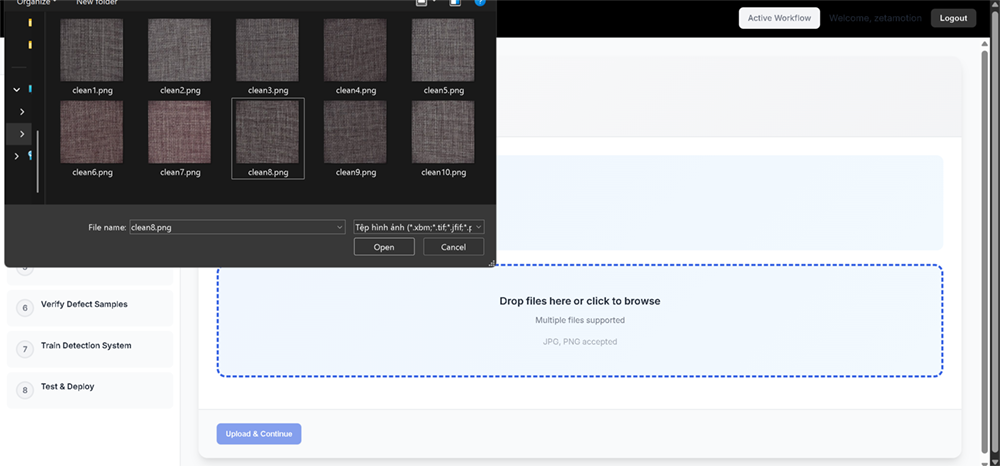
You upload defect free images of your surface. These become the baseline for learning normal appearance, so the pipeline can later separate true defects from normal texture variation.
We recommend at least 5 clean images
Use stable lighting and sharp focus

Step 2
Train clean model
The clean model learns the normal surface characteristics. After training, the system automatically generates synthetic clean samples that you will review next.

Step 3
Verify clean samples
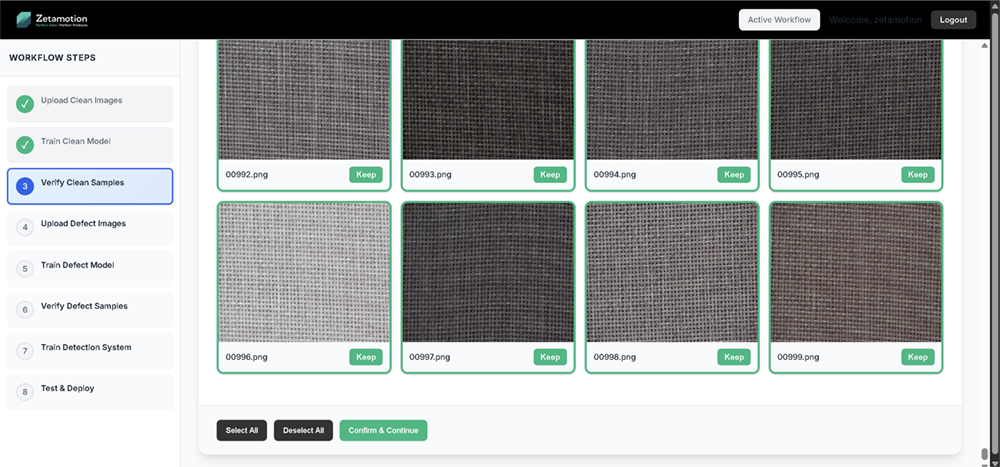
You review synthetic clean images generated by the model and choose which ones are realistic for your capture conditions. Green border means kept. Red border means discarded.
Step 4
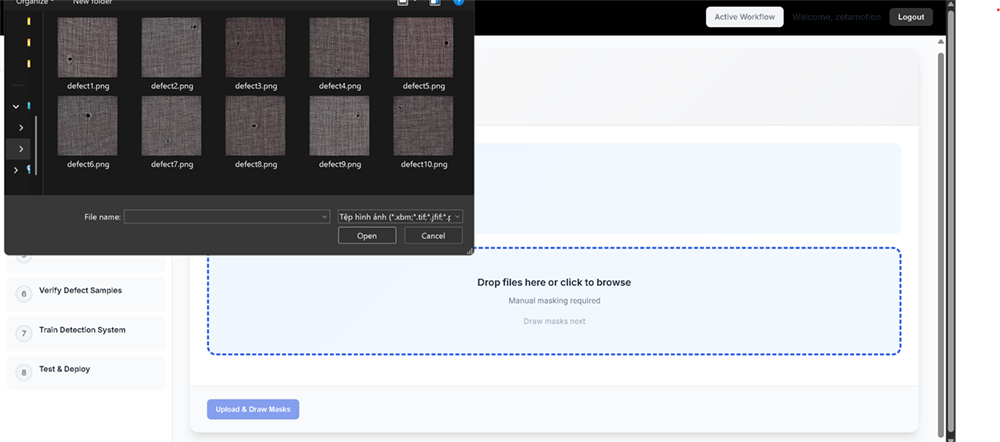
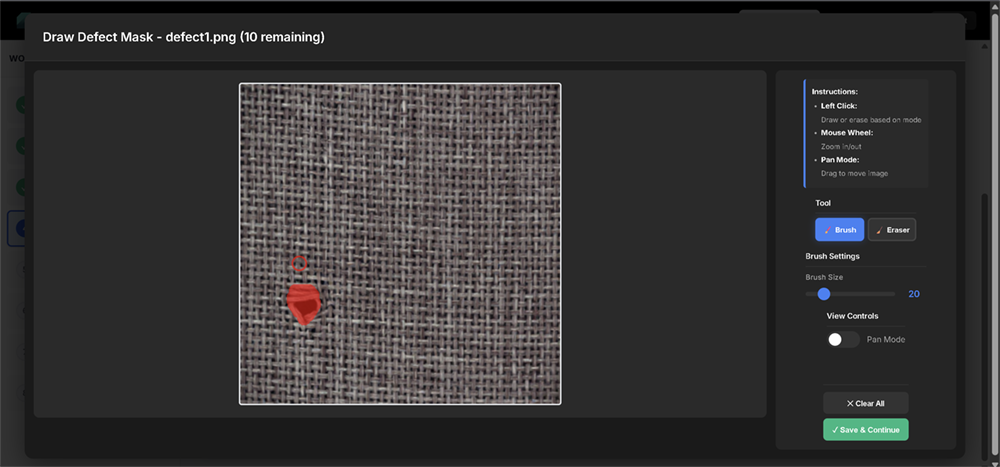
Upload defect images and draw defect masks
First you upload representative defect images. Then you annotate each defect region by drawing masks in the built in tool. Those masks teach the system exactly what pixels are defect.
Upload 5 clear defect examples with variation in size and severity
Mask every defect region fully
Step 5
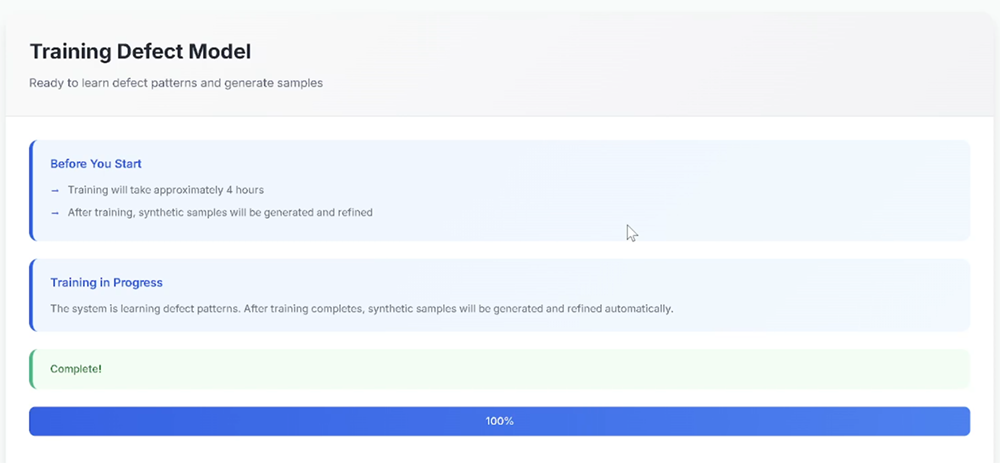
Train defect model
The defect model learns defect appearance from your masked examples. When training completes, the system generates synthetic defect samples automatically.
Step 6
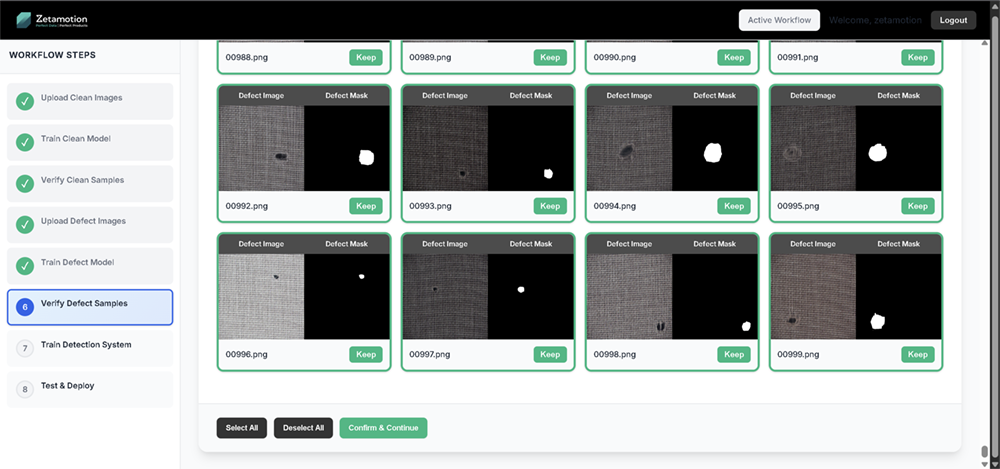
Verify defect samples
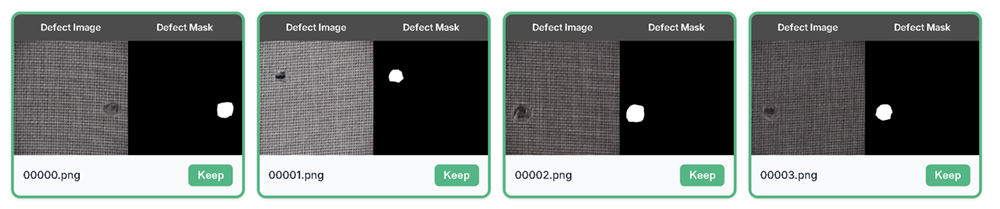
You validate synthetic defect samples and their masks. You keep only defects that look realistic and masks that correctly cover the defect region.
Defect realism: shape, texture, placement
Mask quality: full coverage, clean edges, no spill into non defect regions

Step 7
Train detection system
The pipeline combines your verified clean and defect samples to train the final detector that can localize defects on new images.
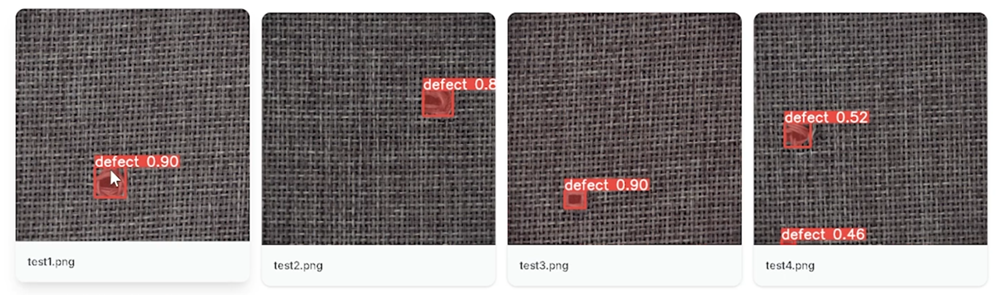
Step 8
Test and deploy
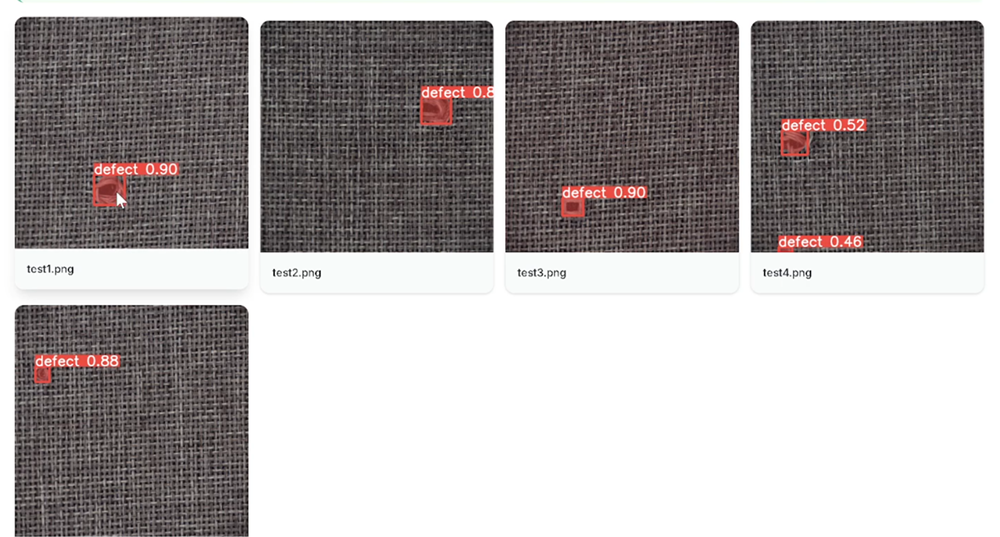
You upload new test images that represent production conditions, run detection, and review results with overlays and confidence scores.
Ensure detections align with real defects
Are confidence scores stable on typical images
Do you see false positives on normal texture variation